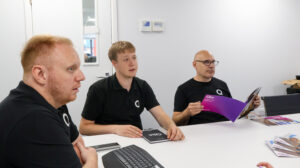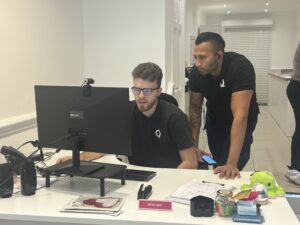
From Microsoft Copilot and AI-powered phone systems to governance, security and real-world charity experiences, here are the key takeaways from Qlic IT and Microsoft’s All Around AI event.
AI is no longer something charities can afford to view as a technology for the future. It is already changing how organisations communicate, manage information, support their teams and deliver services.
But knowing where to start is often the difficult part.
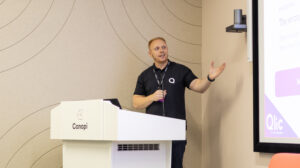
That was the focus of our All Around AI event at Canopi London, where Qlic IT, Microsoft and charity leaders came together to explore what AI actually looks like in practice.
Rather than focusing on AI for AI’s sake, the morning looked at a much more important question:
How can charities use AI to save time, increase capacity and improve their impact – while using it safely and responsibly?
Here are some of the biggest themes and practical takeaways from the day.

The AI opportunity for charities
Chris Lines from Microsoft Elevate opened the event by looking at the wider AI landscape and the opportunities it presents for the nonprofit sector.
For charities, the potential isn’t simply about doing things faster. AI can help organisations streamline programme delivery, reduce manual processes, better understand their data, improve supporter experiences and ultimately give employees and volunteers more time to concentrate on their mission.
That matters when many charities are already working with limited capacity.
The research shared during the session highlighted some of the challenges facing the sector: only 9% of nonprofits consider themselves highly data-driven, while 41% cite a lack of automation as a major operational barrier. At the same time, 71% cite data privacy and security concerns as a top constraint when adopting new technology.
But organisations that are already using AI are beginning to see its potential. Microsoft research shared at the event found that 66% of nonprofit AI users say it has allowed them to spend more time on high-value work.
The message was clear: AI should create more capacity for people, not simply introduce more technology.
Learning from charities already using AI
We also wanted the event to reflect what AI adoption actually feels like within a charity – including the challenges as well as the successes.
Adam Graham from Qlic IT was joined by Jess from Voluntary Action Arun & Chichester and Dominic from Battersea Arts Centre for an open conversation about their experiences.
The discussion explored why they first started experimenting with AI, the tools being used by their teams, where they’ve seen the biggest benefits and how staff have responded to the technology.
It also covered an important part of adopting AI that can sometimes get overlooked: people.
Introducing AI isn’t simply about purchasing a tool. Organisations need to build confidence, give people opportunities to experiment and establish clear guidance about where AI should – and shouldn’t – be used.
One of Microsoft’s recommendations during the event echoed this: leading organisations don’t just build technical skills. They create space for experimentation, rethink existing workflows and build confidence amongst their people.
What are charities already using AI for?
Our audience poll gave us an interesting snapshot of how AI is already finding its way into everyday charity work.
Uses discussed included:
- Meeting minutes and summaries
- Data and research
- Strategy development
- Proofreading
- Creating policies
- Producing and improving content
These aren’t futuristic applications. They’re ordinary jobs that charity teams are already spending time on.
And that’s potentially where some of the quickest AI wins can be found.
Rather than asking “How can we use AI?”, a better starting point might be:
“What repetitive task is taking up too much of our team’s time?”

Microsoft Copilot in practice
Next, Pavan Sawhney from Qlic IT and Chris Lines demonstrated how Microsoft Copilot can fit into a charity’s existing Microsoft 365 environment.
The demonstration started with a single Teams meeting and showed how information from that meeting could be turned into useful outputs across multiple applications.
For example, Copilot can help turn a meeting transcript into a trustee report in Word, draft the accompanying communication in Outlook, transform the information into a board-level PowerPoint, analyse supporting figures in Excel, and help create a beneficiary feedback survey in Forms.
The important part isn’t any one of those tasks individually.
It’s the ability to take information an organisation already has and make it more useful without repeatedly starting from scratch.
Five simple Copilot uses to try
The session highlighted five particularly accessible ways teams could start experimenting:
- Summarise a long email chain and identify decisions, questions and actions.
- Draft a stakeholder update from rough notes.
- Turn meeting notes into actions, including owners and deadlines.
- Simplify a long document into a briefing for trustees or colleagues.
- Turn an existing report into a presentation outline.
Better AI starts with better prompts
One of the simplest lessons from the Copilot demonstration was that the quality of the instruction you give AI matters.
Instead of asking:
“Write a volunteer update.”
give the AI the information it needs to understand what a good result looks like.
A useful prompt should consider four things:
Goal – What do you want it to do?
Context – Why do you need it?
Expectations – What should the result look like?
Source – What information should it use?
For example, specifying the audience, tone, word count, source material and desired actions gives Copilot much more direction than a one-line instruction.
And importantly, AI should provide the starting point. Human knowledge, context and judgement still need to determine the finished result.

AI isn’t just about Copilot
One of the areas we’re particularly excited about is how AI can improve the way charities manage phone calls.
Neel Mavji from Qlic IT demonstrated some of the AI functionality now available within modern telephony, including voicemail transcription, automatic call recaps, searchable conversations and automatically captured follow-up actions.
For a busy charity, that could mean less time manually writing notes after calls and a much easier way to find important information from previous conversations.
We also explored AI receptionists.
These can help answer common questions around the clock and route callers to the appropriate place, potentially helping charities manage increasing demand without placing additional pressure on their existing teams.
Possible charity applications include helplines, service enquiries, volunteer support and donation enquiries.
The aim isn’t to remove the human element from charity services. It’s about identifying where technology can deal with routine administration so people have more time for the conversations that genuinely need them.
With AI comes responsibility
The opportunities are significant, but so are the questions around data, security and governance.
Mike Horton from Qlic IT explored some of the most common risks organisations need to consider.
These can be surprisingly simple: an employee sharing sensitive information with an inappropriate AI tool, trusting an AI-generated answer without checking it, or staff adopting free AI tools without organisational oversight.
That’s why one of the first steps for any charity adopting AI should be creating an AI policy.
At a minimum, organisations should establish:
Approved tools: Which AI platforms can employees use?
Data and privacy: What information can and cannot be shared with those tools?
Human review: Who checks AI-generated work before it is used?
Responsibility: Who remains accountable for the final output?
AI can assist with the work, but a person should remain accountable for the outcome.
Is your Microsoft 365 environment ready for Copilot?
There’s another important consideration for organisations looking at Microsoft Copilot: your existing permissions and data.
Copilot doesn’t suddenly create access to information that an employee wasn’t entitled to see. However, it can make information they already have permission to access much easier to discover.
That means historic permissions, overshared SharePoint sites or poorly managed data can become much more visible once Copilot is introduced.
Before rolling it out widely, charities should understand:
Microsoft 365 usage – How is Microsoft 365 currently being used?
Data and sharing – Where is information stored, and where might it be overshared?
Governance and security – Are the right access and data controls in place?
Readiness – What needs to change before AI is introduced more widely?
This is why AI adoption and good IT governance need to go hand in hand.
Five actions your charity can take now
We finished the event with five practical actions charities can take away.
1. Start small.
Choose one team, problem or repeatable task rather than trying to introduce AI everywhere at once.
2. Focus on outcomes.
Don’t measure success by how many AI tools or licences you have. Look at the time saved and the impact delivered.
3. Choose the right use cases.
Look for areas where the administrative burden is currently greatest.
4. Train your people.
Giving someone access to AI doesn’t automatically mean they’ll know how to get value from it. Confidence and training matter.
5. Review your governance.
Decide which tools are approved, what information can be shared and how AI-generated work should be reviewed.
You don’t need to become an AI expert overnight
Perhaps the biggest takeaway from All Around AI was that charities don’t need to transform everything at once.
Start with a genuine problem. Experiment with a practical use case. Measure whether it helps. Then build from there.
AI has huge potential to help charities reduce administration and make better use of limited resources, but successful adoption needs to combine technology, people, security and good governance.
And you don’t have to work it all out alone.
At Qlic IT, we’re helping charities understand where AI can genuinely add value – from Microsoft Copilot and Microsoft 365 readiness to AI-powered telephony, security, governance and staff training.
Want to explore what AI could look like for your charity?
Catch up on All Around AI
Download the All Around AI presentation slides – View the presentation slides
Explore more AI resources for charities – View our AI videos on YouTube